Alma Video Lesson (formerly Mind Palace): what it is, how to use it, and when to choose flashcards instead
By Roupen Odabashian, MD, FRCPC · Published · Last updated · 12 min read
How we write and check articles: Editorial Policy.
Disclosure: Alma publishes this article and makes one of the study tools it discusses.
Alma Video Lesson (formerly Mind Palace): what it is, how to use it, and when to choose flashcards instead
The Alma Video Lesson, called Mind Palace until recently, is a narrated video of textbook-style slides that Alma builds from your own notes or from the sources in a Learning Hub notebook. It is useful when you want a quick, structured walk-through of a hard topic, not when you need granular, test-style recall. In this guide we explain what it does, how to make one, how it compares with classic memory palaces and with spaced-repetition flashcards, and why AI-generated pictures and explanations always need checking against your source notes and trusted references.
What exactly is Alma Video Lesson for medical, nursing, NP and PA students?

Video Lesson (called Mind Palace before) is the same feature for every learner type, so medical, nursing, NP and PA students all get it, and it is available on every plan. You find it in two places: as the fourth tab in a Learning Hub notebook, after Quiz, Build Lecture and Mind Map, and as a tab on the Notebook page (after Knowledge Graph, on desktop only). It is not a left-navigation item. In the Notebook you can pick your own notes (whole notes or single sub-notes) and your uploaded documents; in a Learning Hub notebook it works from that notebook’s sources.
How does Alma Video Lesson actually generate a video?
Video Lesson reads up to the first 50,000 characters of source text from the notes, documents or notebook you pick. Alma decides how many slides the topic needs, at most 12, and builds textbook-style slides: tables, step lists and flowcharts, with the part being explained highlighted as the narrator talks. Every video opens with what it will cover and closes with a recap. Hard terms are explained in plain words before they are used, and for the hardest ideas Alma adds an analogy, sometimes with a small cartoon, drawing on the hobbies, interests, movies and foods you told Alma you like, together with your learner type, training year and specialty interest. Generation runs in the background and takes a few minutes, and you can keep studying while it is made.

What are the steps to create a Video Lesson?
- Open Alma and go to Learning Hub.
- Open or create a notebook that holds the sources you want to review.
- Inside the notebook, click the Video Lesson tab (fourth tab, after Quiz, Build Lecture and Mind Map).
- Click + Create video lesson.
- Optionally type a Topic override (for example “Renin–angiotensin–aldosterone system”); if you leave it blank, Alma names the topic from your documents.
- Click Create video lesson. The card for that video shows “Queued”, then “Being made”, until it is “Ready” or “Failed”.
- When it is ready, press play to watch the video in the Video Lesson tab, using standard video controls.
Alma checks every fact, name and number on a slide or said aloud against your sources and deletes anything they do not support, so a notebook with little in it makes a short video, and one that supports almost nothing fails with a message saying so. Analogies and plain-language explanations of a term are not in your sources (the narrator says when something is an analogy), but they may not state a fact, number or dose your sources lack. That check is not a guarantee, so read the sections below on verifying what you see.
Are there limits or caps on Video Lessons?
There are a few limits that matter in everyday use: slide count, text length and how many videos can be made at once.
| Limit or feature | Value or behaviour | What it means for you |
|---|---|---|
| Slides per video | Up to 12; Alma decides how many the topic needs | Each video is a focused lesson, not a full lecture series. |
| Source text used | First 50,000 characters of source text | Extremely long sources are trimmed, and the lesson then covers the start of each one; consider splitting large courses. |
| Videos made at once | At most 3 per learner | Wait for one to finish before starting another. |
As of November 2026, Video Lesson has no monthly allowance in Alma’s plans and is available on every plan. Check the live Pricing page and the in-app messages for current limits.
What does a Video Lesson look like, and can I choose a style?
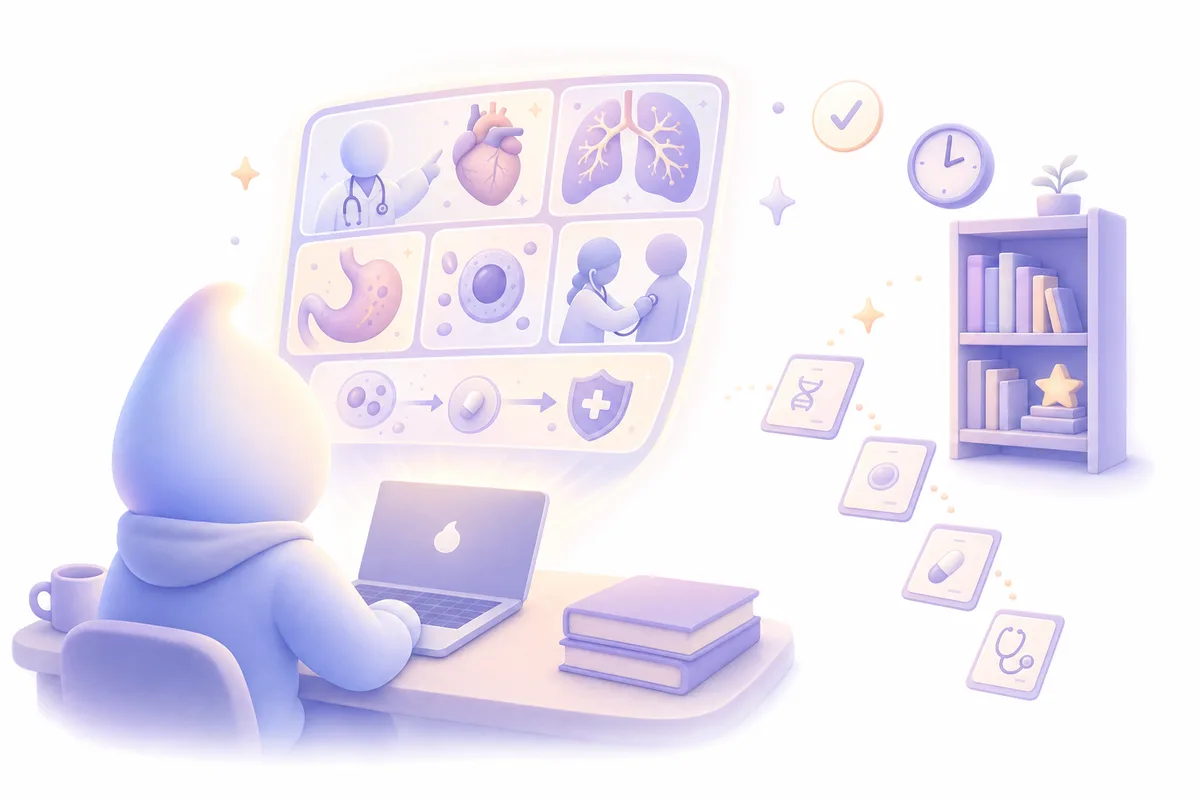
There is one design and no style to pick: textbook-style slides with tables, step lists and flowcharts, read aloud, with the part being explained highlighted as the narrator talks. A few slides may carry an AI-drawn picture, either a cartoon for an analogy or a textbook-style figure. Those pictures are AI-generated, so they are not clinically validated and can contain subtle anatomical or contextual errors.[1] Always cross-check critical visual details against your original notes and trusted atlases before treating them as exemplars. Videos made before this change keep their old look, one of four painted styles; new videos are all in the textbook style.
How is Alma Video Lesson different from a traditional memory palace technique?
Because the old name, Mind Palace, sounds like the classic technique, it is important not to conflate them when planning your study strategy.
What is the classic memory palace method?
In the traditional method, you imagine a place you know well (for example, your house) and assign each room or object to a specific piece of information. You then mentally walk through this “palace” to retrieve the facts in order. This is a deliberate mnemonic strategy that works through spatial and visual associations, built manually.
The core idea is that you actively create and rehearse the associations yourself. That effort is part of what makes the technique powerful; there is no AI involved.
Why isn’t Alma Video Lesson a true memory palace?
Video Lesson does not ask you to choose physical locations, place images or rehearse a spatial route. Instead, it builds a short sequence of slides from your notes or notebook and narrates them.
You are free to borrow images or scenes from a Video Lesson as ingredients for a personal memory palace later, but the feature itself is not a structured mnemonic system and should not be treated as a guaranteed memory technique. It is closer to a mini-lecture distilled into a visual sequence.
When should I use each: memory palace vs Video Lesson?
For short lists and stepwise algorithms, many learners like a hand‑built memory palace because the effort of building it is part of the technique. For complex mechanisms or overviews (for example complement pathways or nephron physiology), a Video Lesson can give you a quick re‑explanation to watch before you commit details to flashcards or other deliberate practice.
How does Video Lesson differ from flashcards and spaced repetition?
Video Lesson gives you a coherent narrated, visual explanation of your notes or notebook material to review. Flashcards, especially with spaced repetition, are designed to strengthen recall through repeated testing over time.[2][3][4] Both can work together, but they serve different purposes in your study plan. Alma does not claim that Video Lessons improve recall or exam results.
Why videos can’t replace flashcards for exam prep
Research in medical education has found that spaced repetition and retrieval practice are explicitly designed to improve long-term retention, and that tools like algorithm-based flashcard apps operationalise these principles by scheduling reviews based on learner difficulty ratings.[4] Students who implement spaced repetition early and consistently may perform better on summative exams, though those findings are correlational rather than proof of causation.[5]
How should I combine Video Lessons and flashcards in a real study day?
One practical pattern is:
- Upload your lecture slides or notes to a Learning Hub notebook.
- Use Build Lecture or Mind Map if you want an alternative text or diagrammatic overview.
- Create a Video Lesson when you want a clear, visual walkthrough of the concepts from your notebook.
- Turn the points you want to remember into practice: on the Flashcards page, open a deck and use “Import from Learning Hub” to draft cards from the same notebook (you review and edit them before adding), and use the notebook’s Quiz tab to test yourself.
- Check anything surprising in the video against your source notes before you rely on it.
Why do AI-generated images in Video Lesson need checking against your sources?
AI-generated medical images can look convincing while still containing subtle anatomical, physiological or contextual errors.[1] A systematic review of text-to-image systems in medical education found pervasive representational bias and that 47.2% of studies reported clinical fidelity limitations, ranging from anatomical hallucinations to plausible but incorrect depictions of medical equipment; high visual plausibility can mask clinically or socially consequential distortions, potentially anchoring incorrect mental models.[1]
Because a few Video Lesson slides carry pictures made by an AI image generator rather than a human medical illustrator, you should treat those pictures as draft visuals, not as definitive clinical diagrams. The slides are built from your sources, but the analogies and plain-language explanations are not in your sources, so check them too.
What risks do AI-generated visuals pose for learners?
A systematic review of generative AI text-to-image systems in medical education reported several recurring issues:[1]
- Representational bias: many studies found skewed depictions of race and gender among generated clinicians and patients.[1]
- Clinical fidelity errors: nearly half of the studies reported anatomical hallucinations or plausible but incorrect depictions of medical equipment.[1]
- Plausibility masking error: visually coherent images can anchor incorrect mental models and misdirect attention, especially when used as exemplars.[1]
These findings support the idea that AI-generated medical images should not be treated as neutral or authoritative teaching resources without expert review.[1]
How should I verify what I see in a Video Lesson?
When you notice a new diagram, mechanism drawing or clinical scene on a Video Lesson slide, compare it directly against your original notes, textbooks or trusted course slides. If the slide labels or portrays a structure, drug or step differently from your source, default to the source and adjust your understanding accordingly.
Work on hallucination literacy in AI tools emphasises that learners should not ask only whether a model provides a citation, but whether the cited or underlying material actually supports the specific claim being made.[6] This principle applies visually too: inspect the original resource rather than trusting the AI’s paraphrase or depiction.[6][1]
Why can’t we just assume Alma (or any AI) “got it right” this time?
Generative AI can produce fluent, persuasive responses that intermingle accurate, unsupported and fabricated information.[6][7] Its outputs are not inherently accurate, complete or appropriate for a given educational context, even when they look polished.[6][7] Research and professional guidance stress that all AI-generated content requires evaluation, and that high-quality output must satisfy checks on relevance, accuracy, currency and support.[6][7]
For you as a student, that means treating Video Lesson, quizzes, lecture slides and any other AI-generated material as starting points. Always verify critical mechanisms, diagnostic criteria, dosing principles and procedural steps against primary resources and faculty guidance, especially before exams or clinical decisions.[6][7][1]
How should I fit Video Lesson into my overall AI study strategy?
Video Lesson is one piece of a broader AI-assisted study workflow. Generative AI can help you produce study materials, summaries and explanations quickly, but it is more persuasive than it is inherently reliable.[6][7] Developing the habit of checking AI outputs and integrating them with established tools like spaced-repetition flashcards is now a core study skill in medicine and nursing.[7]
As you build your own approach, consider pairing this article with Alma’s guides on judging AI study tools, using AI safely for USMLE Step 1, and building flashcards from PDFs and notes.
Frequently asked questions
Is the Alma Video Lesson a replacement for question banks or flashcards?
No. Video Lesson is best seen as a visual explainer built from your own notes. Question banks and flashcards (especially with spaced repetition) play a different role: they force retrieval practice and spaced review, which are key for long-term retention and exam performance.[3][4][5] Use Video Lesson alongside, not instead of, those tools.
How often should I make a new Video Lesson for the same topic?
There is no fixed rule. Because each video is relatively short, many students will make one per major topic and re-watch it a few times while the material is fresh. If your notebook changes substantially, you can make another one, as long as you stay within the limit of three being made at once.
What if a Video Lesson picture disagrees with my textbook or faculty slides?
Trust the vetted source. Studies have shown that AI-generated medical images can be visually plausible but clinically incorrect, and should not be treated as neutral educational resources without expert review.[1] If there is a discrepancy, treat the AI picture as a draft sketch at best, and align your understanding with textbooks, guidelines and your course teaching.
Is it safe to rely on AI explanations without double-checking them?
No. Generative AI outputs are not inherently accurate or complete, and can intermingle correct and incorrect information in persuasive ways.[6][7] Guidance for medical education emphasises that all AI-generated content requires critical evaluation and verification against authoritative sources before it is used for learning or clinical decisions.[6][7]
References
- https://www.nature.com/articles/s41746-026-02608-3_reference.pdf
- Flashcard - Wikipedia
- Spaced repetition - Wikipedia
- A Systematic Review of Spaced Repetition, Retrieval Practice, and Academic Performance in Undergraduate Medical Students - PMC
- Implementation of Spaced Repetition by First-Year Medical Students: a Retrospective Comparison Based on Summative Exam Performance - PMC
- Teaching Hallucination Literacy in Medical Education: A Claim-Level Verification Framework and Toolkit | Medical Science Educator | Springer Nature Link
- Evaluating AI Output - Applying Critical Thinking | AACOM