PDF to Flashcards
Turn a lecture PDF into flashcards you can check.
Upload the PDF to the Learning Hub and Alma reads it. Then open a deck on the Flashcards page, pick that notebook and choose how many cards you want, from 1 to 100. You read each card before it goes into your deck.

PDF to Flashcards
Put the PDF in a notebook
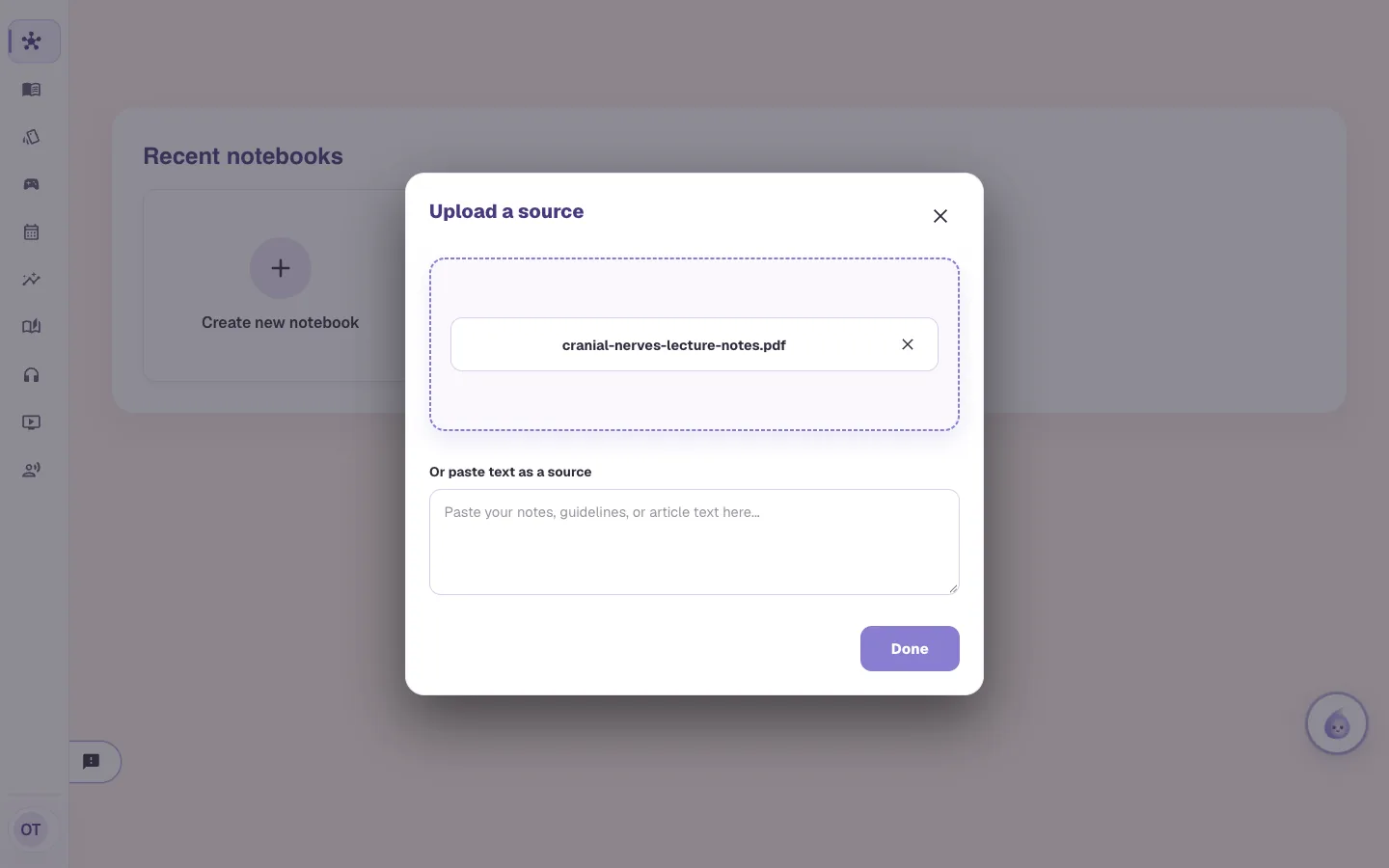
Open the Learning Hub, create a notebook and add your PDF. Word, PowerPoint and image files work too, up to 100 MB each, and you can paste text instead. Alma reads the file in the background. The notebook says it is reading the source, and you can leave the page.
PDF, Word, PowerPoint or an image
Up to 100 MB a file
Or paste text as a source
PDF to Flashcards
Open a deck and choose Import from Learning Hub
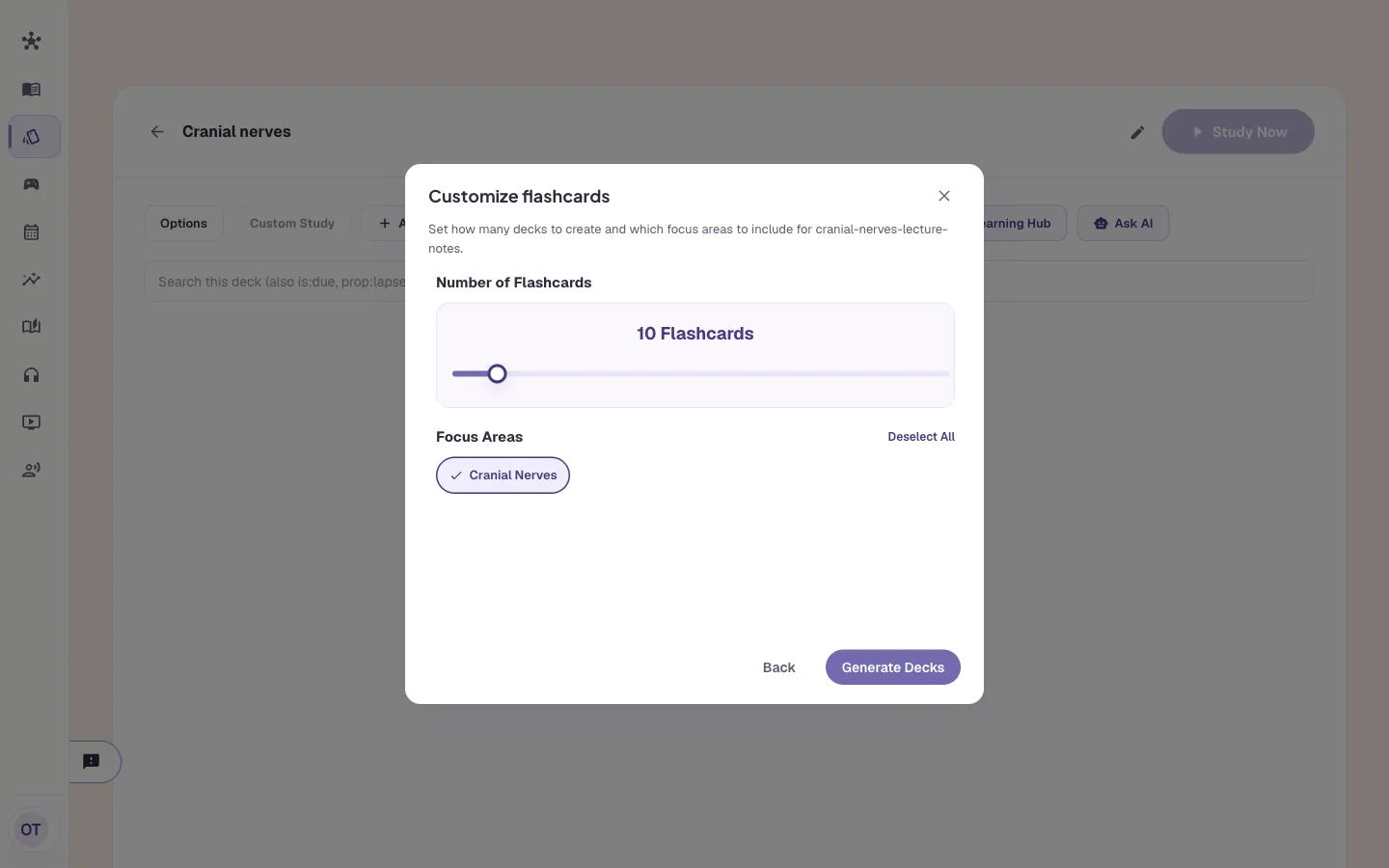
On the Flashcards page, open a deck and press Import from Learning Hub. Pick the notebook and press Next. Then choose how many flashcards you want. The slider goes from 1 to 100, and 10 is where it starts. Alma lists the topics it found in the file as focus areas, and you can turn some off.
Pick the notebook
1 to 100 cards
Choose which topics to include
PDF to Flashcards
Read the cards before they go in
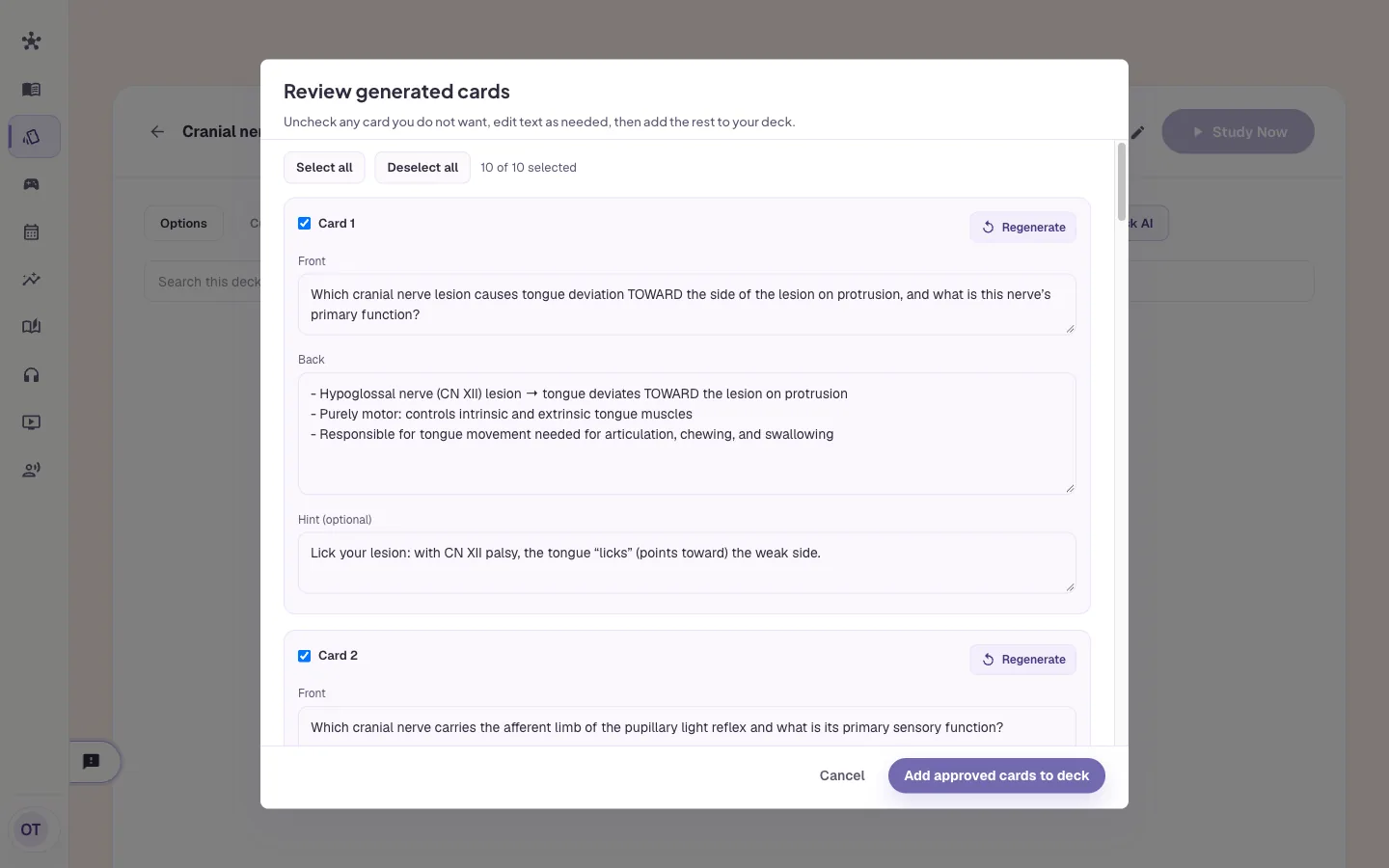
Alma shows you every card first. Each has a front, a back and a hint. Edit the text, press Regenerate on one card, or untick the ones you don't want. Then press Add approved cards to deck. An AI wrote the cards, and a card can include a fact that isn't in your PDF, so read them as you would a classmate's.
Edit the front, back and hint
Regenerate a single card
Untick what you don't want
PDF to Flashcards
Study them like any other deck
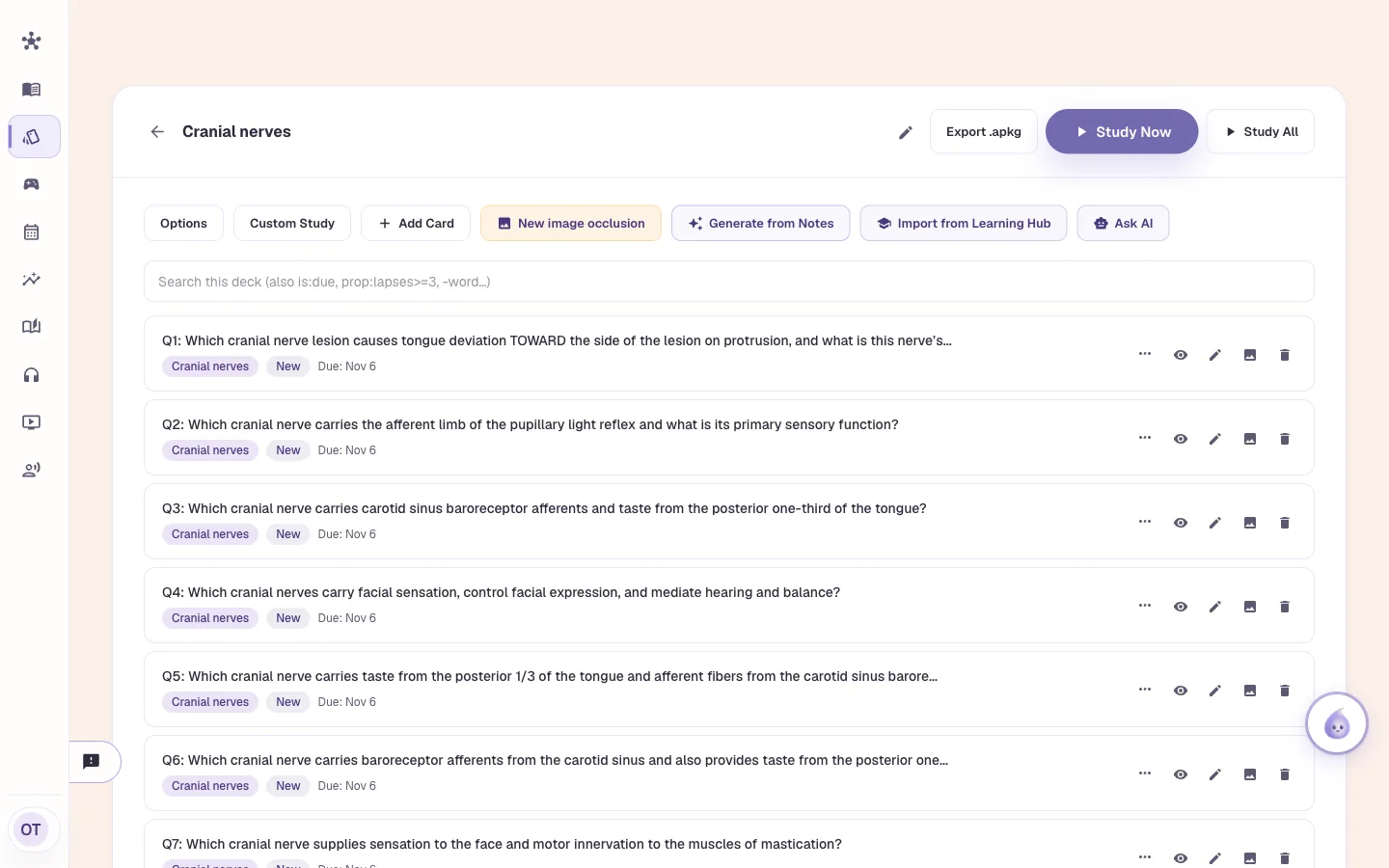
The cards land in your deck. Press Study Now and rate each one Again, Hard, Good or Easy. Each card comes back on the FSRS schedule. You can search the deck, move cards to another deck, or export the deck as an Anki file.
FSRS spaced repetition
Search, tag and move cards
Export the deck as .apkg
Who it is for
PDF to flashcards for medical, nursing, NP and PA courses
The tool is the same for everyone. What changes is the exam it points at and the kind of week you are fitting it into.
Medical Students
- USMLE Step 1
- Step 2 CK
- COMLEX
- Shelf exams
Upload this morning's lecture PDF and import 20 cards before dinner. Untick the ones that test trivia and keep the ones you would miss on a shelf. The deck is ready to study tonight.
See Alma for medical studentsNurses & Nursing Students
- NCLEX-RN
- NCLEX-PN
- HESI
- ATI
Take the pharmacology handout your instructor posted and import a deck from it. Untick the cards that repeat each other and edit the wording to match your textbook.
See Alma for nurses & nursing studentsNurse Practitioners
- AANP
- ANCC
- FNP
- AGNP
Upload a review-course handout or a guideline summary, import 30 cards, and study them in the gaps between patients.
See Alma for nurse practitionersPhysician Assistants
- PANCE
- PANRE
- EOR exams
Put a lecture PDF for a rotation in a notebook and import cards from it. Decks nest, so the new deck can sit inside that rotation's parent deck and be studied with the rest.
See Alma for physician assistants
Worth knowing before you start
- Each file can be up to 100 MB. A file Alma could not read shows the reason and a Retry button, and you don't have to upload it again.
- Import from Learning Hub makes 1 to 100 cards at a time, from one notebook.
- Cards imported from a Learning Hub notebook don't count toward your plan's AI flashcard allowance.
- The cards are written by an AI from your file and can include a fact that isn't in it. That's why you see each card before it's added.
Common questions
Can Alma turn a PDF into flashcards?
Yes. Upload the PDF to the Learning Hub. Then open a deck on the Flashcards page, press Import from Learning Hub and pick the notebook. You choose from 1 to 100 cards.
Do I have to check the cards?
You see every card before it's added. You can edit it, regenerate it or untick it. Add approved cards to deck puts the rest in your deck.
What files can I use?
PDF, Word (DOC and DOCX), PowerPoint (PPT and PPTX) and images, up to 100 MB each. You can paste text as a source too.
Can I use these cards in Anki?
Yes. Export .apkg gives you one file per deck, with its sub-decks and pictures.
Do imported cards use my AI allowance?
Cards imported from a Learning Hub notebook don't count toward your plan's AI flashcard allowance.
Try the PDF to Flashcards on something you are studying
Upload a lecture or paste a page of notes and see what comes back. No card required.
Start free
Last updated