Flashcards
Flashcards that come back when you're about to forget them.
Flashcards in Alma use FSRS, the scheduling algorithm Anki now offers. You rate each card Again, Hard, Good or Easy, and it decides when you see the card next. Make cards by hand, from notes, from a Learning Hub notebook or from a book. Anki decks import and export.

Flashcards
A review screen with four buttons
You see a question and flip the card. Then you rate it Again, Hard, Good or Easy, and each button shows when the card will come back. In this capture that's 1 minute, 5 minutes, 10 minutes or 10 days. Ask Alma is in the top bar. She can see the card, but not the answer until you flip it.
The next interval shown on every button
Keyboard: Space flips, 1 to 4 rate, E edits, F flags
Ctrl or Cmd plus Z undoes the last rating
Flashcards
Decks you can search
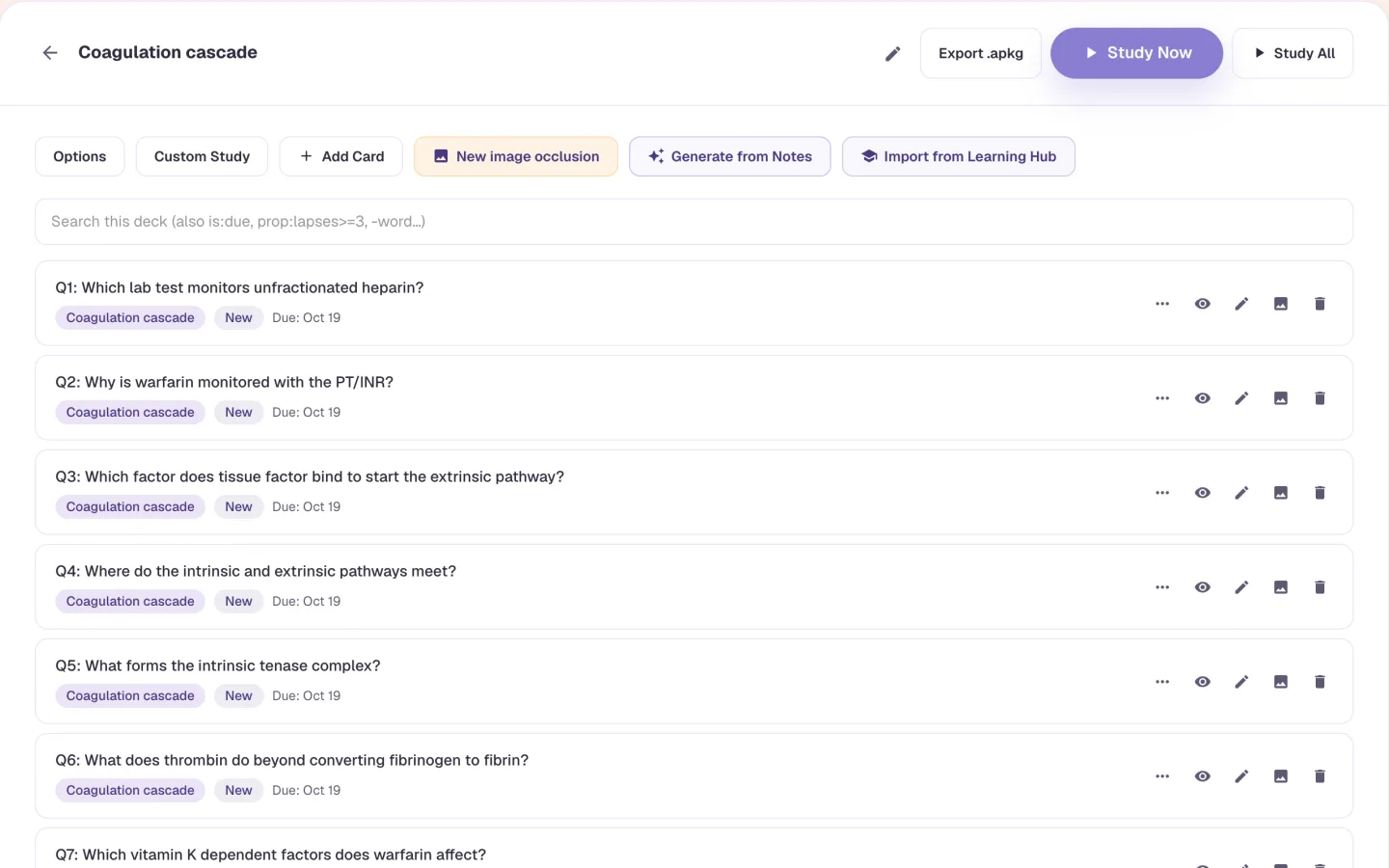
Browse cards lists everything in a deck. Type is:due or prop:lapses>=3 in the search box and you get the cards you keep forgetting in a few seconds. Nest decks the way Anki does, with Parent::Child. Bury, suspend or archive a card instead of deleting it. Ask AI answers a question from that deck's cards only, and says so when they don't cover it.
Search by state, tag or word
Sub-decks and tags
Bury, suspend and archive
Flashcards
Make cards from what you already have
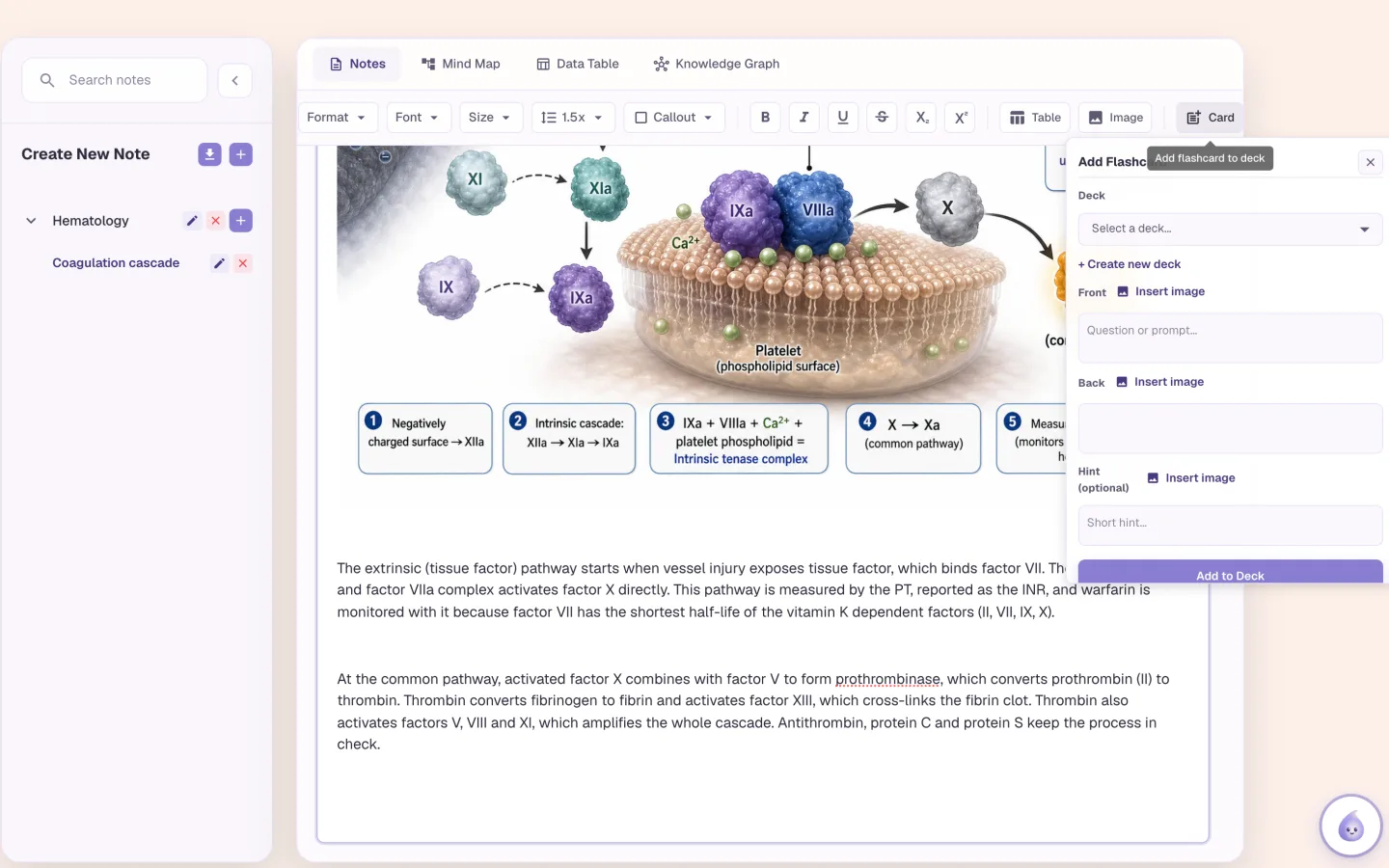
Select text in a note and press Card. Or pick notes and use Generate from Notes, which makes 5 to 20 cards for you to check. Import from Learning Hub turns a notebook into 1 to 100 cards. You can write cards by hand too. For anatomy, histology and imaging, use image occlusion: draw masks over an image, and each mask is scheduled separately.
Cards from notes, Learning Hub notebooks and books
Pictures, math and tags on handwritten cards
AI pictures for either side of a card
Flashcards
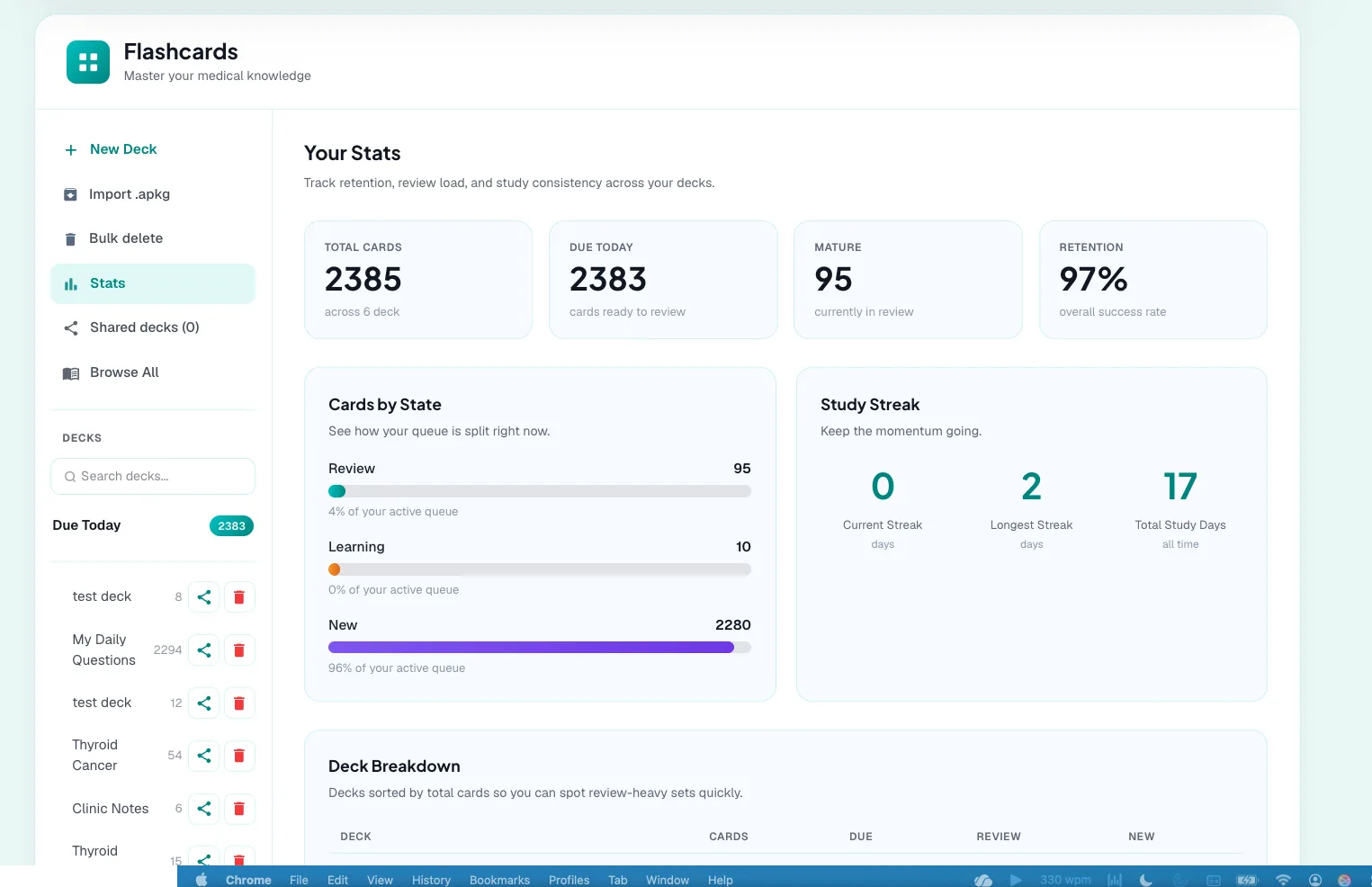
Stats that say if it's working
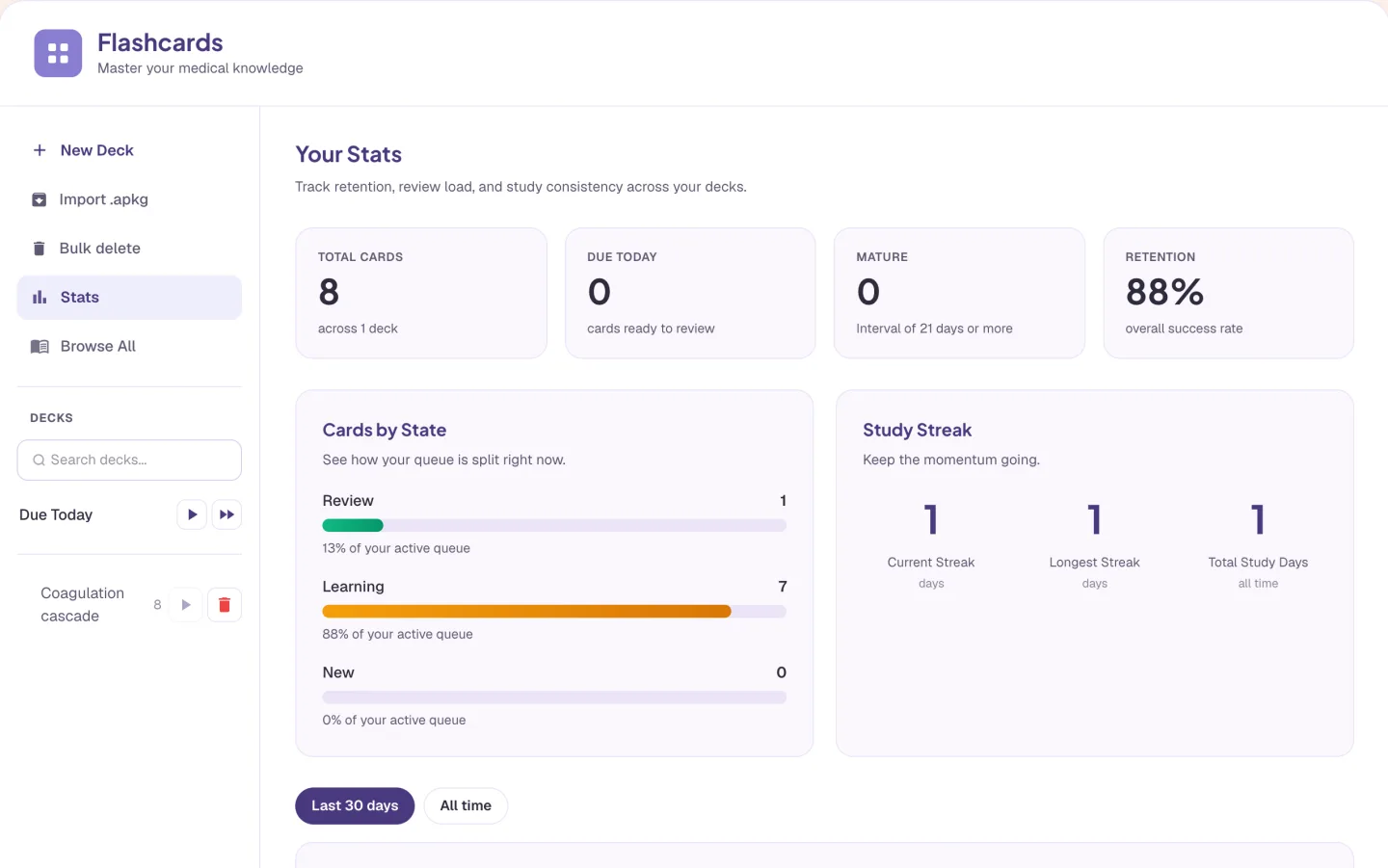
The Stats page shows what's due, how many cards are mature, your retention, a 30-day forecast and your streak. This one is after a single session on eight cards. You set how hard to push. Desired retention runs from 70 to 97 percent, and 90 is the default. Exam Mode shortens the intervals so cards come back before a date you set.
Retention, forecast and streak
Desired retention from 70 to 97 percent
Exam Mode for the weeks before a test
Who it is for
Flashcards for medical, nursing, NP and PA exams
The tool is the same for everyone. What changes is the exam it points at and the kind of week you are fitting it into.
Medical Students
- USMLE Step 1
- Step 2 CK
- COMLEX
- Shelf exams
If you already use Anki, you don't have to give it up. Import your .apkg and the deck tree comes with it, along with your review history if you leave that option on. Scheduling doesn't start from zero. You can export a deck any time. Turn on Exam Mode before a shelf and cards come back sooner.
See Alma for medical studentsNurses & Nursing Students
- NCLEX-RN
- NCLEX-PN
- HESI
- ATI
Pharmacology and lab values suit spaced repetition. Turn the lines you keep missing in your notes into cards. When a card has gone wrong twice in a week, Quiz me on my misses turns those cards into practice questions.
See Alma for nurses & nursing studentsNurse Practitioners
- AANP
- ANCC
- FNP
- AGNP
If you work clinic hours, you study in gaps. New cards per day default to 20 and you can lower that, so a session fits into ten minutes. After a bad week, Catch up works through the 50 most overdue cards.
See Alma for nurse practitionersPhysician Assistants
- PANCE
- PANRE
- EOR exams
Give a deck its own exam date and turn on Exam Mode, and cards come back before your end-of-rotation exam. Decks nest, so didactic year and each rotation can be sub-decks of one parent, and the parent studies them all together.
See Alma for physician assistants
Worth knowing before you start
- Cards you write by hand, import from Anki or pull in from a Learning Hub notebook don't count toward any allowance. AI-generated cards and AI pictures count toward your plan's monthly AI flashcard allowance. Quiz me on my misses counts as one quiz.
- Decks can be shared only inside a school's organization.
- Anki import keeps your deck tree and, if you leave the option on, your learning progress. Export is one .apkg file per deck, with its sub-decks and pictures.
- Your reviews are one of the signals behind Alma's estimate of your weak topics. You can see that estimate and delete it.
Common questions
Can I import my Anki decks into Alma?
Yes. Import .apkg keeps your deck tree (Parent::Child becomes sub-decks) and your tags. With the progress option on, your learning progress comes along, so scheduling doesn't restart. You can merge everything into one deck.
Can I export my flashcards?
Yes. Export .apkg gives you a file per deck, with its sub-decks and pictures.
Which spaced-repetition algorithm does Alma use?
FSRS. You rate each card Again, Hard, Good or Easy and it schedules the next review. You choose the retention you want, from 70 to 97 percent. The default is 90.
Does Alma have image occlusion?
Yes. Draw masks over an image and hide all of them or one at a time. Each mask is scheduled separately. It suits anatomy, histology and imaging.
Try the Flashcards on something you are studying
Upload a lecture or paste a page of notes and see what comes back. No card required.
Start free
Last updated