Podcasts
Medical podcasts you can find by topic.
Podcasts is a library of human-hosted medical education shows. We pull episodes in from each show's own feed and tag them by topic. You can filter, search, favorite, and pick up where you left off. The audio streams from the publisher. Create your podcast adds one more thing: a private episode, voiced by AI, made from your own notes, files or a topic.

Podcasts
Find the episode, not just the show
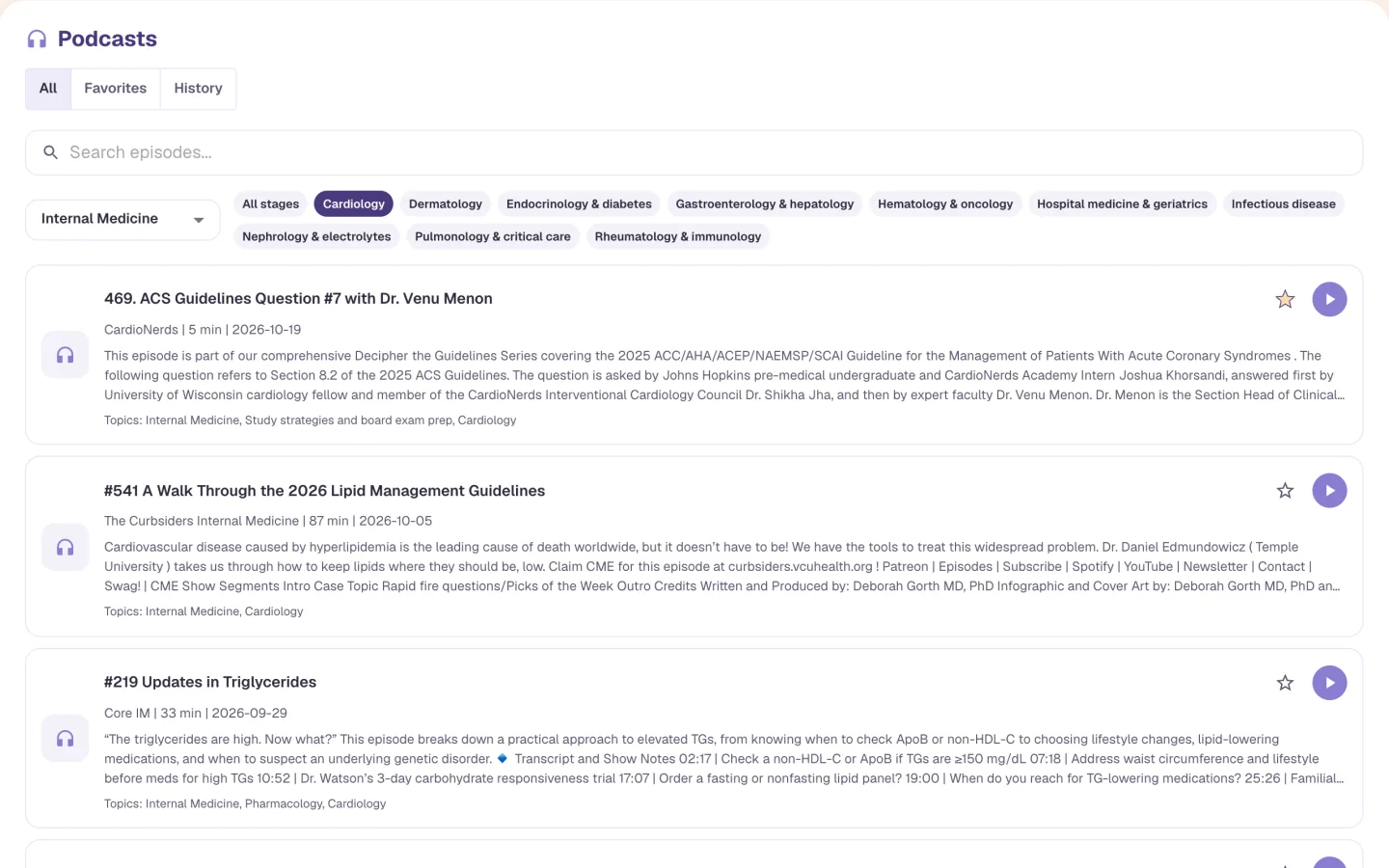
Pick a category such as Internal Medicine, then narrow it by topic. Here that's Cardiology, with Hematology & oncology, Infectious disease and others beside it. Or search for a word. Each episode shows the show, how long it runs, the date, a summary and its topics. You can tell at a glance if it's the one you want.
Categories, topics and search
Show, length, date and topics on every row
Star an episode to find it again
Podcasts
A player with study features
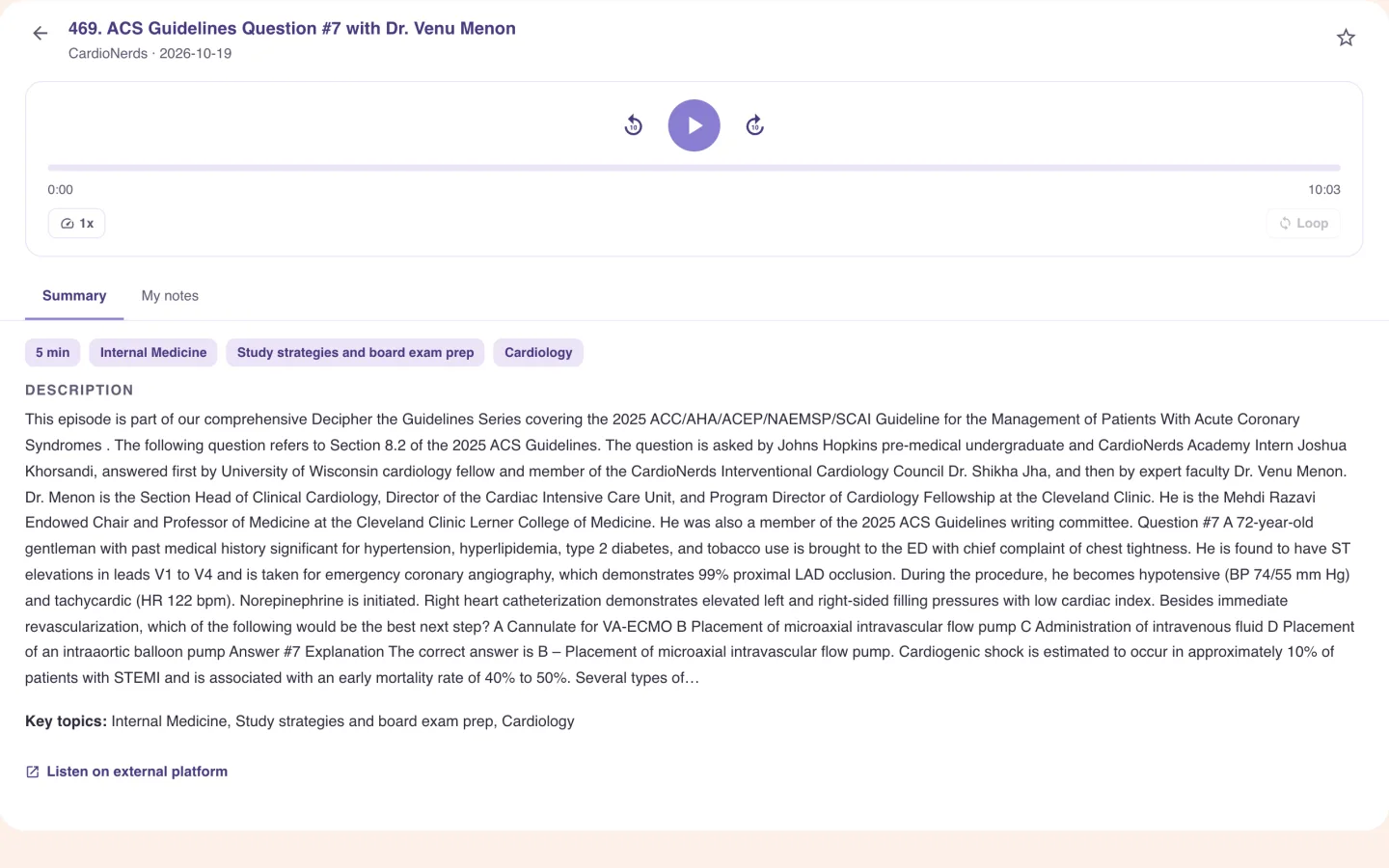
Skip back or forward 10 seconds, change the speed, and save a loop of a stretch you want to hear again. The Summary tab shows the description and key topics. My notes keeps private notes with timestamps. There's a link to listen on the publisher's own platform.
10-second skips, speed control and saved loops
Private notes with timestamps
A summary and key topics on every episode
Podcasts
Favorites, history and your own links
Star an episode and it goes under Favorites. History and Continue listening remember where you stopped. If the show you listen to isn't in the library, press Add Episode URL and enter a title, show, link and tags. Paste an Apple Podcasts or Spotify link and the title and show fill in. The episode joins your own list.
Favorites, History and resume points
Add an episode by link
Your additions stay in your own list
Podcasts
Or make your own episode
Create your podcast turns your own material into a private episode. It takes a few minutes, and you can leave the page. The episode lands in your own list with a transcript you can tap to jump around in. It opens like a show and ends with what it covered and three take-home points. Every voice is AI-generated and labeled that way, and there's a Report a mistake link. It's rolling out, so the card appears at the top of Podcasts once it's on for your account.
Styles: Deep Dive Duo (two hosts), Socratic Coach (it asks, you answer), Storyteller
Sources: a topic, uploaded files (PDF, PowerPoint, Word or text), up to three notebooks, your weak areas or the questions you missed
5, 10 or 15 minutes, at the level you choose
Who it is for
Podcasts: made for medical students, open to nursing, NP and PA
The tool is the same for everyone. What changes is the exam it points at and the kind of week you are fitting it into.
Medical Students
- USMLE Step 1
- Step 2 CK
- COMLEX
- Shelf exams
The commute or the gym. Pick Internal Medicine, then Cardiology, and queue an episode on the guideline you're reading about this week. Jot a timestamped note without leaving the player. Or upload the lecture you're behind on and make a 10-minute episode of it to listen to.
See Alma for medical studentsNurses & Nursing Students
- NCLEX-RN
- NCLEX-PN
- HESI
- ATI
Most shows in the library are made for physicians and medical students, and the categories follow that. Pharmacology and Internal Medicine episodes still help with what your program covers. You can add a nursing show yourself by pasting an episode link. Create your podcast can make an episode from your own notes or readings.
See Alma for nurses & nursing studentsNurse Practitioners
- AANP
- ANCC
- FNP
- AGNP
Between patients you get a short gap, and an episode can run 5 minutes or well over an hour. Family Medicine and Internal Medicine are the closest categories to your day. The length is on every row. Pick one that fits.
See Alma for nurse practitionersPhysician Assistants
- PANCE
- PANRE
- EOR exams
Filter to the specialty you're on this month, such as general surgery, Pediatrics or Emergency Medicine, and listen on the way to the hospital. When your end-of-rotation exam comes around, the same episode is easy to find again in Favorites.
See Alma for physician assistants
Worth knowing before you start
- The shows in the library are made and hosted by people. Alma doesn't rewrite or re-voice them. Episodes you generate yourself are separate, private to you, and labeled as AI-voiced.
- Episodes stream from each publisher's own feed and remain the publisher's property. A publisher who wants a show removed can write to support@almastudy.com.
- Listening has no plan allowance, and it doesn't change Alma's estimate of your weak topics.
- The library is made for medical students, so its categories are medical. Nursing, NP and PA listeners can add any show by link.
Common questions
Where do the podcast episodes come from?
From the shows' own public feeds. Episodes are tagged by topic and added to the library. The audio streams from the publisher, not from Alma.
Can I add a podcast that is not in the library?
Yes. Press Add Episode URL and enter a title, show, link and optional tags. An Apple Podcasts or Spotify link fills in the title and show.
Can I take notes while I listen?
Yes. The player has a My notes tab for private, timestamped notes, and you can save loops of parts you want to hear again.
Are the podcasts AI-generated?
The shows in the library are made and hosted by people. Create your podcast is separate. It generates a private episode from your own material, with AI voices that are labeled as AI-generated, and it's rolling out account by account.
Does listening cost anything extra?
Listening to the library has no plan allowance. Making your own episodes has its own allowance, separate from the other AI allowances. The 7-day trial includes 10 episodes, and paid plans include a monthly number of episodes and audio minutes.
Try the Podcasts on something you are studying
Upload a lecture or paste a page of notes and see what comes back. No card required.
Start free
Last updated