Practice Patients
Rehearse the encounter before it is graded.
Practice Patients is an OSCE station that runs in your browser. Pick a presentation like chest pain and you get a random case of it. You take the history from an AI patient, then do the exam, tests, diagnosis and plan with an AI examiner. At the end you see the diagnosis, your marks and case notes.

Practice Patients
Pick the presentation, not the diagnosis
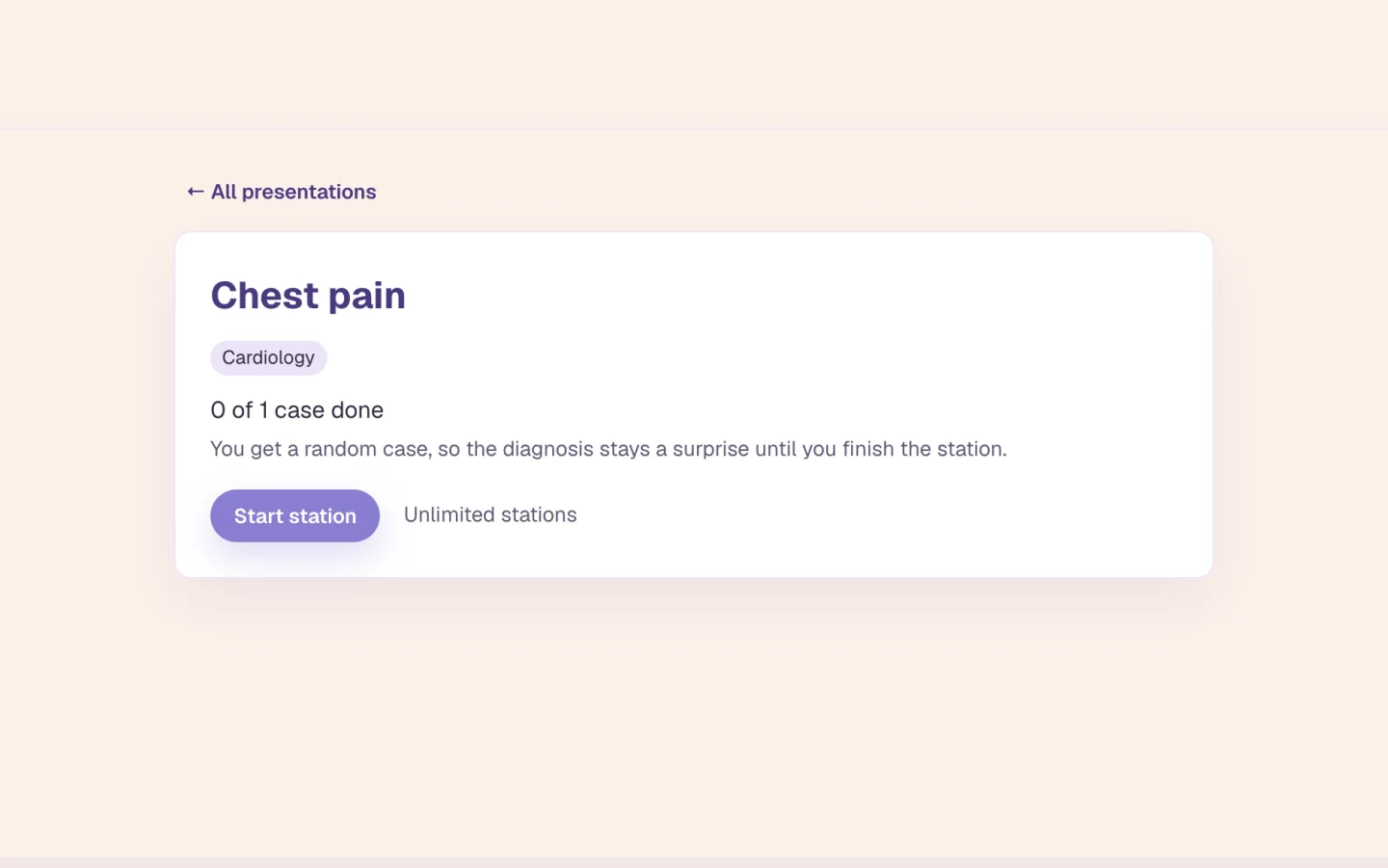
Cases are listed by presentation. You see "Chest pain", never the diagnosis. Browse by presentation or by specialty, or search. Each card shows how many cases it has and how many you've done. Press Start station and you get a random case. You can limit it to one setting, such as clinic or the emergency department. If you leave halfway, the page offers to pick up where you left off.
By presentation or by specialty, with search
A random case, so the diagnosis is a surprise
Pick up an unfinished station
Practice Patients
Four steps, then your marks
You start with the history, talking to the patient. Then come the physical exam, investigations, and your diagnosis and plan together, which you do with the examiner. You type, and press a button such as Examine the patient to move on. The examiner gives findings and results only when you ask. A vague request gets you nothing. A fifth tab, Results, is where your marks appear.
History with the patient, then three steps with the examiner
Findings and results only when you ask
You type. Voice isn't offered to learners yet

Practice Patients
Take the history
The patient answers in their own words, and only what you ask. Ask when the pain started and what they were doing. Ask whether it spreads to the arm or the jaw. Each patient appears as an AI-drawn picture of an invented person. Nobody real is in the case. If the patient is under 18, you get a simple drawing instead.
Open and closed questions both work
An invented patient, never a real one
You decide when you've heard enough
Practice Patients
Your marks, and the case notes
When the plan is in, the diagnosis is revealed ("It was: ..."). Then you get Your marks and Case notes. Another case of the same presentation starts a new station. Run chest pain again whenever you like.
The diagnosis, revealed at the end
Your marks, then case notes
Another case of the same presentation
Who it is for
Practice Patients for medical, nursing, NP and PA learners
The tool is the same for everyone. What changes is the exam it points at and the kind of week you are fitting it into.
Medical Students
- USMLE Step 1
- Step 2 CK
- COMLEX
- Shelf exams
Before a clinical skills exam or a clerkship oral, run the same presentation a few times. Taking the history, choosing what to examine and order, and committing to a diagnosis is the part you can't practise from a list of questions.
See Alma for medical studentsNurses & Nursing Students
- NCLEX-RN
- NCLEX-PN
- HESI
- ATI
An assessment starts with a focused history and a decision about what to look at next. Practice Patients lets you rehearse that on a case you haven't seen, then read your marks and the case notes.
See Alma for nurses & nursing studentsNurse Practitioners
- AANP
- ANCC
- FNP
- AGNP
Clinic is history, examination and a plan, one patient after another. Run a station between shifts: take the history, ask for the findings you want, name a diagnosis and write the plan. Then compare it with the case notes.
See Alma for nurse practitionersPhysician Assistants
- PANCE
- PANRE
- EOR exams
End-of-rotation exams and the PANCE both reward a structured approach. Pick the presentation you're on this month, say emergency or clinic, and run stations on it until the sequence from history to plan is automatic.
See Alma for physician assistants
Worth knowing before you start
- Free learners get a weekly number of stations. The page shows how many are left, and they reset on Monday, Pacific time. Paid plans have unlimited stations.
- The patient and the examiner are AI. It's a practice run, marked at the end by the app. It isn't an assessment of your competence.
- Voice isn't offered to learners yet. You type your questions.
- It's for medical students, nurses, nurse practitioners and physician assistants.
Common questions
What is a Practice Patients station?
A practice OSCE case. You take a history from an AI patient, then do the examination, investigations, diagnosis and plan with an AI examiner. At the end the diagnosis is revealed and you see your marks and case notes.
Do I get to choose which case I see?
You choose the presentation, such as chest pain. The app gives you a random case of it, and the diagnosis stays a surprise. You can limit it to one setting, like clinic or the emergency department.
Can I talk to the patient out loud?
Not yet. For now you type your questions to the patient and your requests to the examiner.
Who can use Practice Patients?
Medical students, nurses, nurse practitioners and physician assistants. Free accounts get a weekly number of stations. Paid plans get unlimited stations.
Try the Practice Patients on something you are studying
Upload a lecture or paste a page of notes and see what comes back. No card required.
Start free
Last updated