Mnemonic Generator
A mnemonic drawn from your own notes.
Select text in a Notebook note, press Image and choose Cartoon mnemonic. Alma draws one scene with a visual cue for each fact. Under it she adds a Picture key that says what each cue stands for. This tool makes picture mnemonics, not acronyms.

Mnemonic Generator
Select the text, press Image
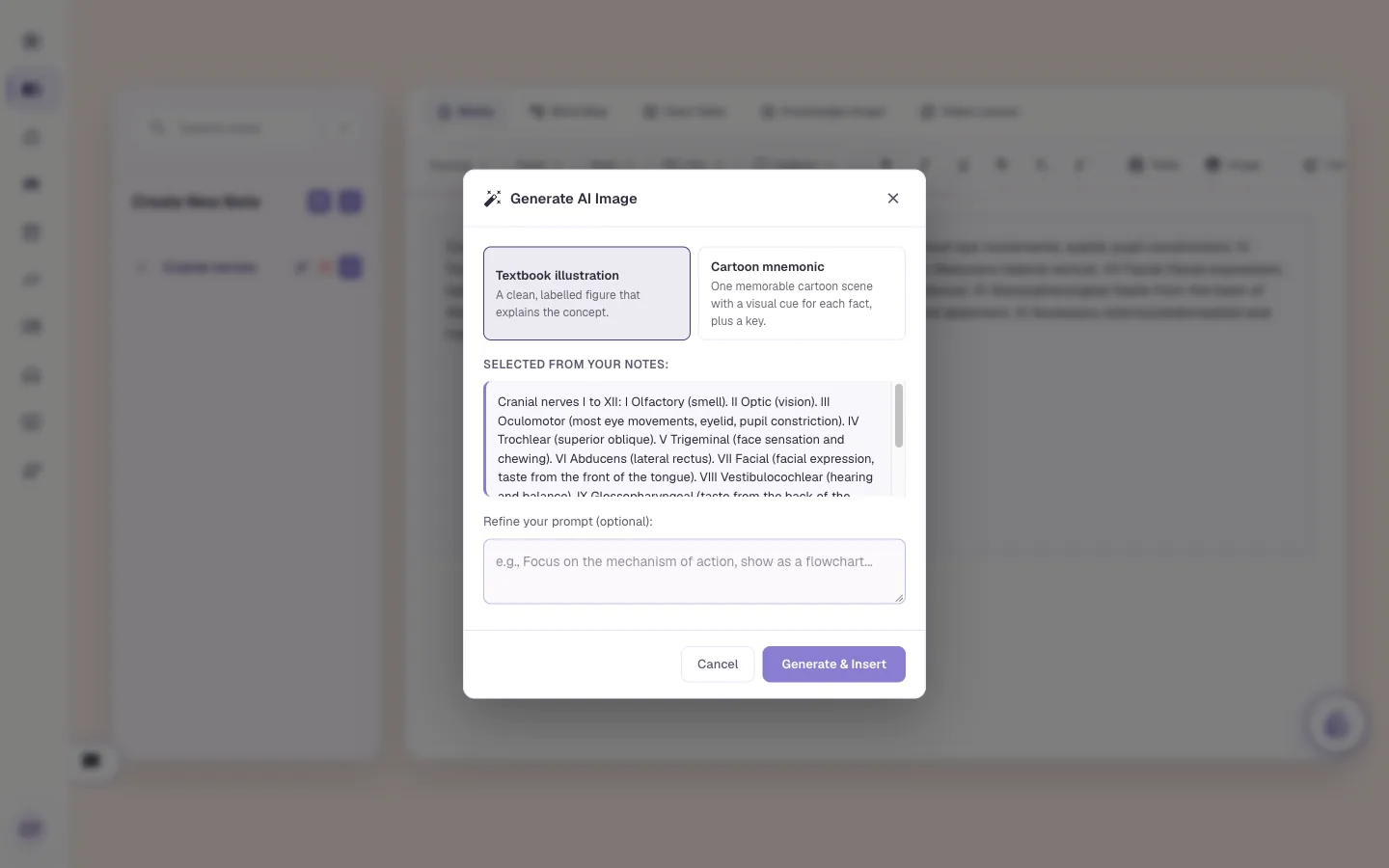
Write or paste your notes in the Notebook, select the lines you want to remember and press Image. A window opens with two styles. Textbook illustration is a clean labelled figure. Cartoon mnemonic is one memorable scene with a visual cue for each fact, plus a key. The window shows the text it will draw from, and a box where you can steer it.
Textbook illustration or Cartoon mnemonic
You see the text it draws from
Steer it, for example "only the nerves that move the eye"
Mnemonic Generator
It draws in the background
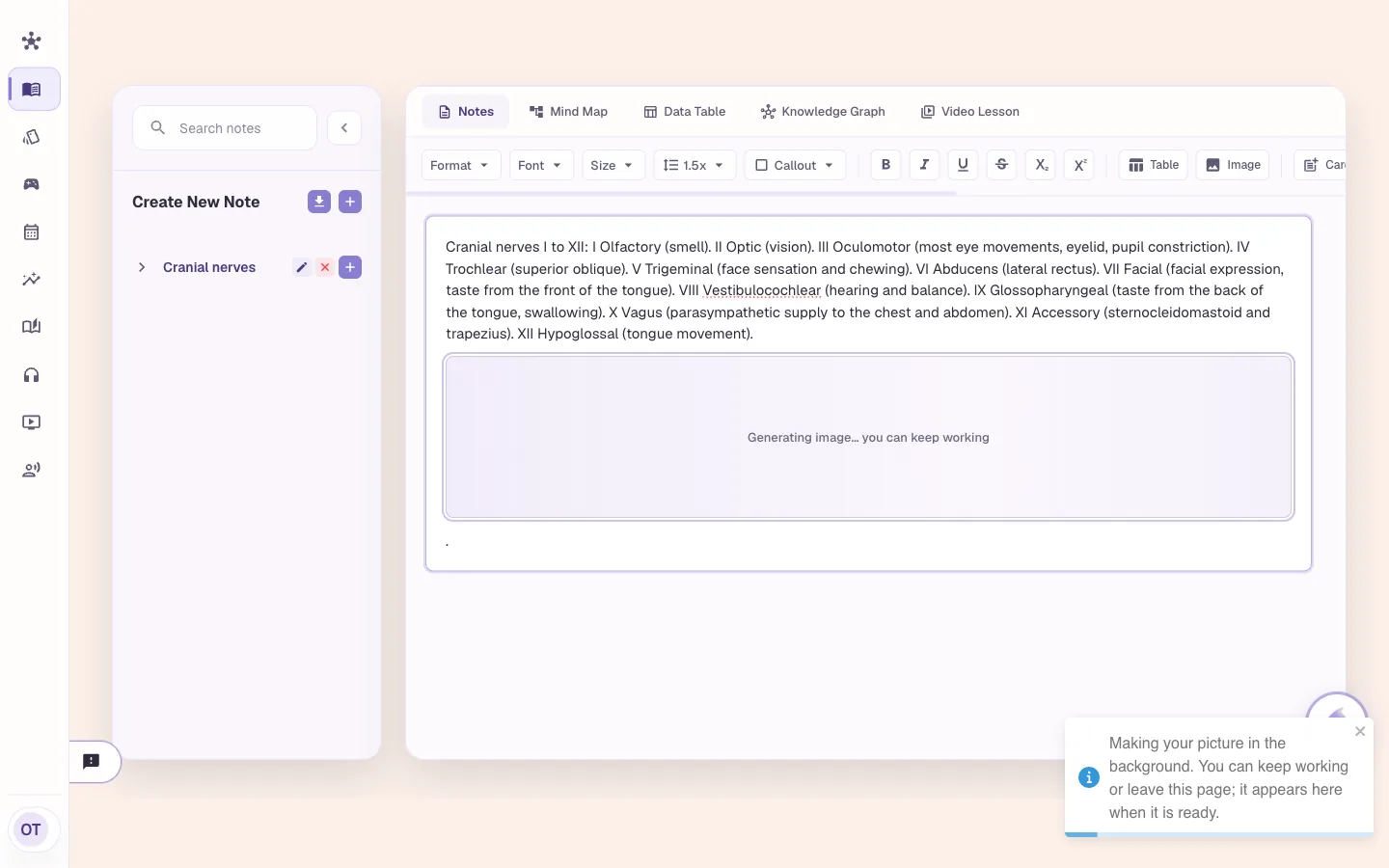
Press Generate & Insert and a grey box holds the place. It says you can keep working. Keep typing, switch notes or leave the page. The picture appears in the note when it's ready. You can have up to three pictures in progress at once.
A placeholder holds the spot in your note
Keep working while it draws
Up to three at a time
Mnemonic Generator
One scene, a cue for each fact
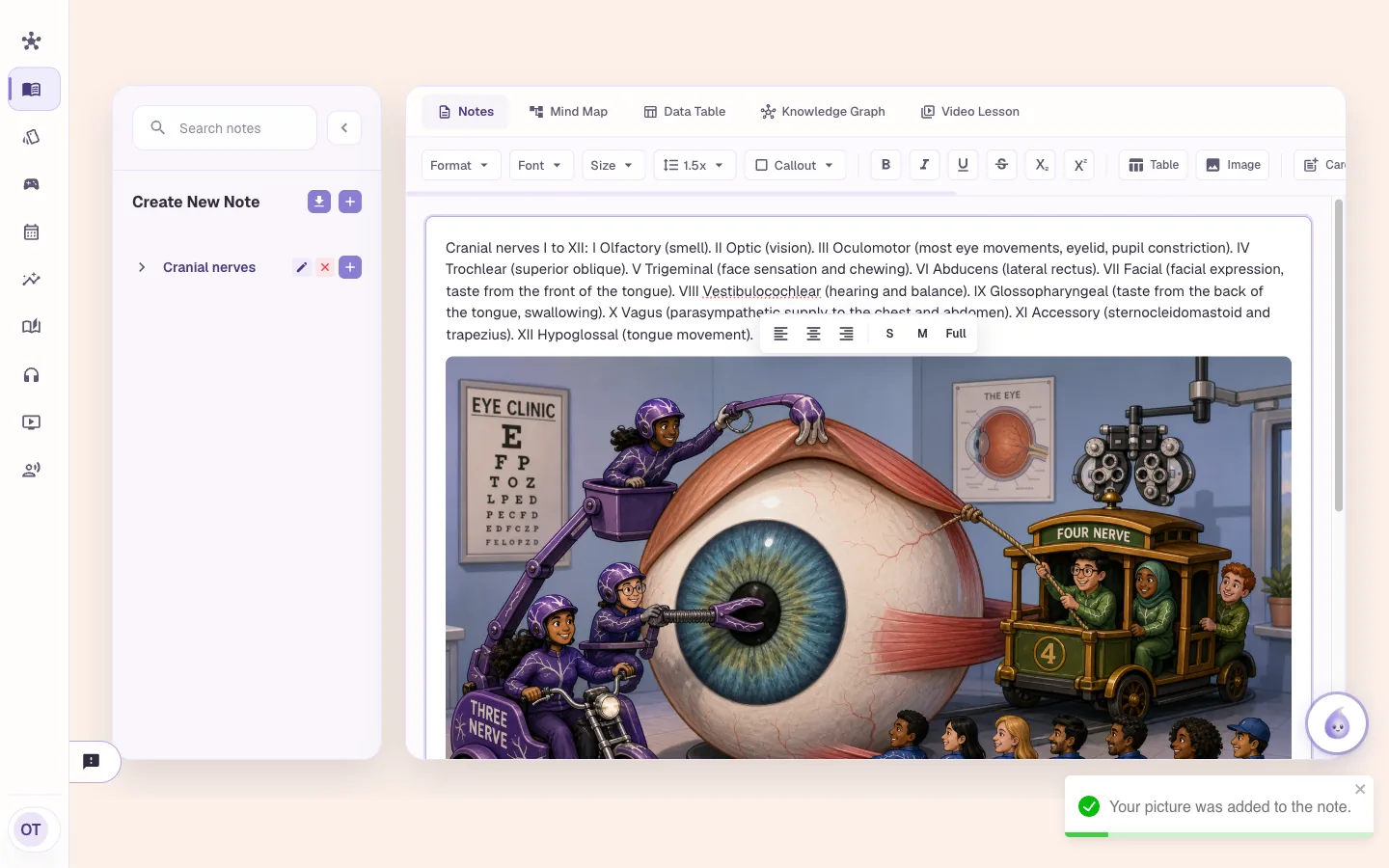
This is what came back when the box said "only the nerves that move the eye". A three-wheeled motorbike stands for nerve III, a four-wheeled trolley for nerve IV, and a team pulling a rope under a banner that reads Six Abductors for nerve VI. The picture sits in your note where you selected. Small, medium or full width is one click.
A cue for each fact it picks, up to eight
Number and sound-alike hooks
Small, medium or full width
Mnemonic Generator
The Picture key says what each cue means
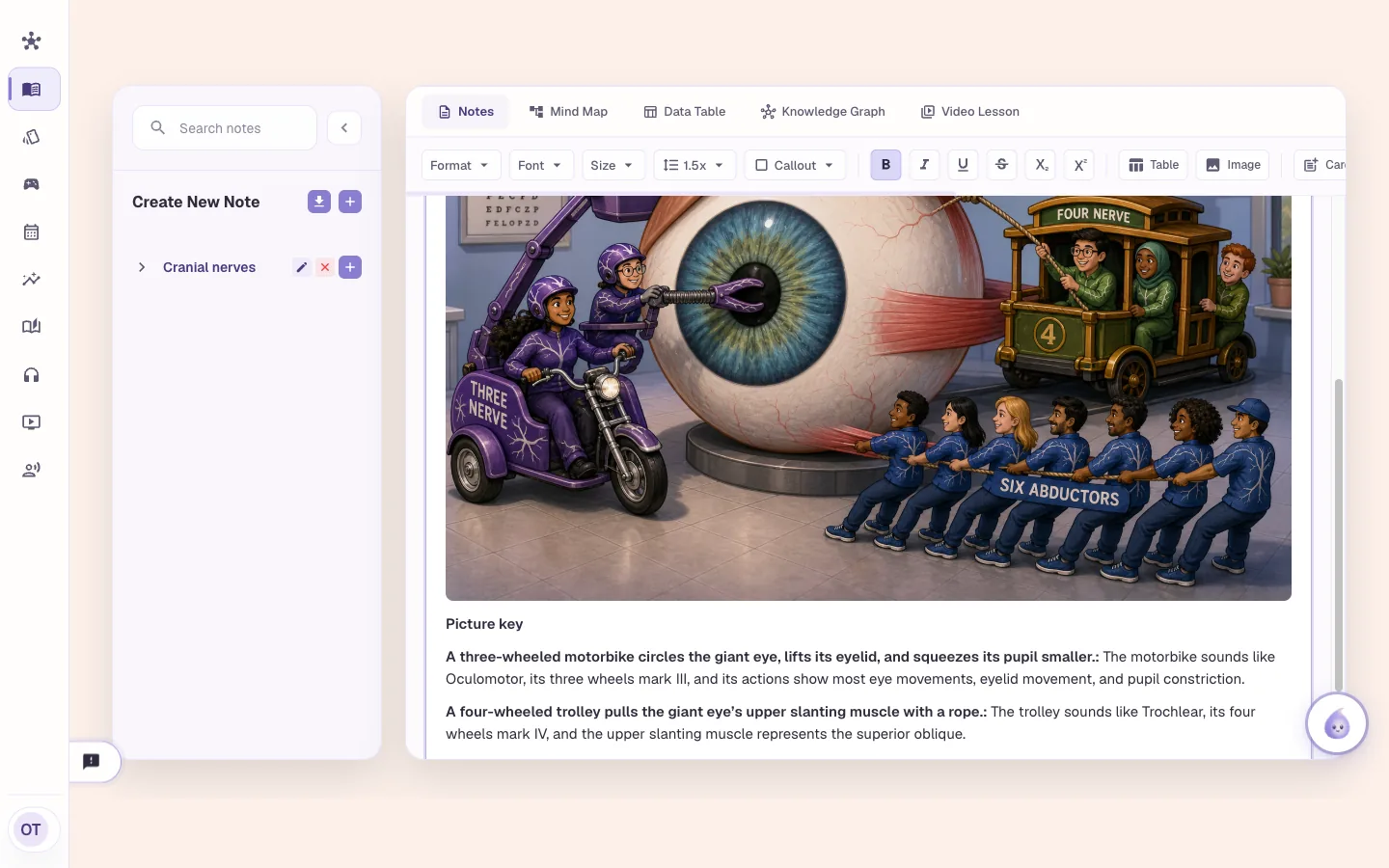
Under the picture, a Picture key lists each cue and the fact behind it. In this capture it reads: the motorbike sounds like Oculomotor, its three wheels mark III, and its actions show most eye movements, eyelid movement and pupil constriction. Read the key first, then look at the picture. Count the team under the banner: it says six and the picture shows seven, so check the details.
Each cue tied to a fact in your note
The key is text in the note, so you can edit it
Check it against your source
Mnemonic Generator
Or put the picture on a flashcard
Any standard flashcard can get a picture on its front or back. While you study, press the image icon in the top bar, or use the image icon on a card's row in Browse cards. Choose Textbook illustration or Cartoon mnemonic, check the words it is drawn from and press Make picture. It takes about 30 seconds. You see a preview, and Use this picture keeps it.
Front or back of a card
Preview before you keep it
Make another, or cancel
Who it is for
Mnemonic generator for medical, nursing, NP and PA exams
The tool is the same for everyone. What changes is the exam it points at and the kind of week you are fitting it into.
Medical Students
- USMLE Step 1
- Step 2 CK
- COMLEX
- Shelf exams
Cranial nerves, the brachial plexus, the steps of a cascade. Select the list from your notes and ask for a cartoon mnemonic. Read the key first, so you know which cue is which.
See Alma for medical studentsNurses & Nursing Students
- NCLEX-RN
- NCLEX-PN
- HESI
- ATI
Take a list of signs from your notes, like the signs of low blood sugar, and ask for a scene with a cue for each sign. Pick Textbook illustration instead if you want a labelled figure.
See Alma for nurses & nursing studentsNurse Practitioners
- AANP
- ANCC
- FNP
- AGNP
Select a drug class or a screening schedule from your notes and draw it. Put the picture on the flashcard for that class so it comes back on the spaced schedule.
See Alma for nurse practitionersPhysician Assistants
- PANCE
- PANRE
- EOR exams
Select your differential for chest pain and ask for a cartoon with one cue for each diagnosis. Edit the key so it matches the way your program teaches them.
See Alma for physician assistants
Worth knowing before you start
- This is a picture tool. It draws a mnemonic scene with a Picture key. It doesn't write acronyms or rhymes.
- An AI draws the picture from the text you select, and it can get a detail wrong. Check the picture and the key against your notes.
- A cartoon mnemonic is drawn from up to 12,000 characters of selected text and shows at most eight facts. Select less text, or steer it, if you want particular ones.
- Pictures are made in the background, up to three at a time.
- A picture on a flashcard uses 5 of your plan's monthly AI flashcard allowance, counted when it is made even if you don't keep it.
Common questions
What is a cartoon mnemonic in Alma?
One cartoon scene with a visual cue for each fact in the text you selected, plus a Picture key that says what each cue stands for.
Is this an acronym generator?
No. The Notebook's image tool draws a picture mnemonic and a key. It doesn't produce acronyms or rhymes.
Can I put a mnemonic picture on a flashcard?
Yes. Any standard flashcard can get a picture on the front or the back. Use the image icon while you study or on the card's row in Browse cards, then press Use this picture to keep the preview.
Can the picture be wrong?
Yes. An AI draws it from your text. Read the Picture key and check it against your notes before you rely on it.
Try the Mnemonic Generator on something you are studying
Upload a lecture or paste a page of notes and see what comes back. No card required.
Start free
Last updated